This is an example of an article. I could write a ton of different text here, but we'll leave it at that.
Section!
Within this article, I also have a section about puppies, because why not?
I think there's an echo in here. Why do you say that? asks Sam. Watch, ECHO.
Echo
Echo
Echo
9500 Gilman Drive, La Jolla CA, 92093
Leftovers from Grouping Content (4.4 in Spec)
4.4
Code
What's the Hello World code for C?
#include <stdio.h>
main(){
  printf("Hello World \n");
  return 0;
}
Adapted from tutorialspoint.com
Quotes
One of my favorite quotes comes from The Two Tours by J.R.R. Tolkien.
"There is some good in this world, and it's worth fighting for"
Enrollment
To enroll in CSE 134B, you must take the following classes (in order by when you should take them)
CSE 11
CSE 12
CSE 15L
CSE 20
CSE 21
CSE 30
CSE 100
You can choose from the following departments:
UCSD
CSE
ECE
MATH
UCR
CSE
Comics
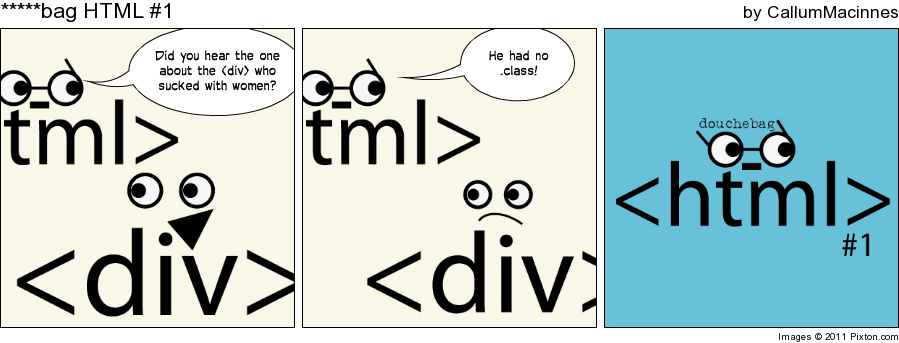
It's common in computer science, and even the internet, to create nonsense comics. Here's one:
Nonsense HTML comic
Leftovers from Text-level Semantics (4.5 in Spec)
4.5
Text Size
Text can come in many different sizes. Small, superscript or subscript. By the way, if you ever wanted to achieve superscript, you have to type CTRL + SHIFT + +.
Superscript is a letter written or printed above the line
Abbreviation
Before asking questions you should RTFM!
Data and Time
Here is a binary number represented with the data tag: 1337
This part of the document was written at .
Variable
E=mc2 is a famous equation.
Sample Output
The output from a very simple computer program is Hello World!
Mark
I'm a good at grammar. I wish the other students would fix they're documents.
The <ins> tag defines a text that has been inserted into a document.
My favorite color is blue red!
del
The <del> tag defines text that has been deleted from a document.
My favorite color is blue red!
iframe
The <iframe> tag specifies an inline frame.
iframe
The <embed> tag defines a container for an external application or interactive content (a plug-in).
object
The <object> tag defines an embedded object within an HTML document. Use this element to embed multimedia (like audio, video, Java applets, ActiveX, PDF, and Flash) in your web pages.
param
The <param> tag is used to define parameters for plugins embedded with an <object> element.
video
The <video> tag specifies video, such as a movie clip or other video streams.
audio
The <audio> tag defines sound, such as music or other audio streams.
source
The <source> tag is used to specify multiple media resources for media elements, such as <audio>, <video> and <picture>
caption
The <caption> tag defines a table caption and must be inserted immediately after the <table> tag.
Monthly savings
Month
Savings
January
$100
February
$50
colgroup
The <colgroup> tag specifies a group of one or more columns in a table for formatting and is useful for applying styles to entire columns, instead of repeating the styles for each cell, for each row.
ISBN
Title
Price
3476896
My first HTML
$53
5869207
My first CSS
$49
col
The <col> tag specifies column properties for each column within a <colgroup> element.
ISBN
Title
Price
3476896
My first HTML
$53
5869207
My first CSS
$49
datalist
The <datalist> tag is used to provide an "autocomplete" feature on <input> elements. Users will see a drop-down list of pre-defined options as they input data.
keygen
The <keygen> tag specifies a key-pair generator field used for forms.
output
The <output> tag represents the result of a calculation (like one performed by a script).
progress
The <progress>tag represents the progress of a task.
Downloading progress:
meter
The <meter> tag defines a scalar measurement within a known range, or a fractional value.
Display a gauge:
2 out of 10 60%
fieldset
The <fieldset> tag is used to group related elements in a form.
legend
The <legend> tag defines a caption for the <fieldset> element.
script
The <script> tag is used to define a client-side script (JavaScript).
noscript
The <noscript> tag defines an alternate content for users that have disabled scripts in their browser or have a browser that doesn't support script.
canvas
The <canvas> tag is used to draw graphics, on the fly, via scripting (usually JavaScript).